Photo to Flashcards App: Turn Everyday Objects into Vocabulary Cards
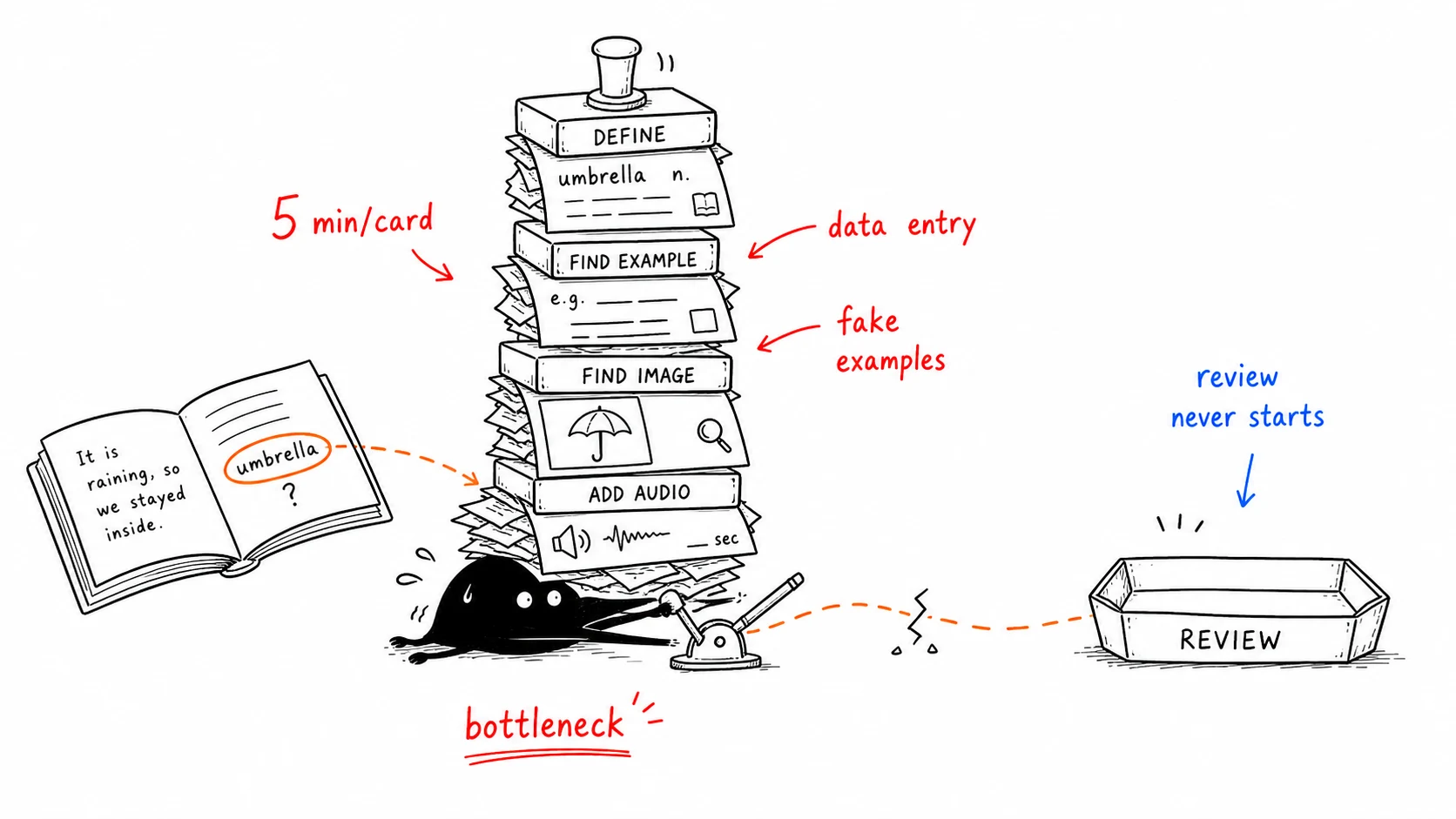
Here's the dirty secret of flashcard study: the hard part has never been reviewing — it's making the cards. Looking up a definition, copying an example sentence, finding an image, adding audio — five minutes per card. Ten words you wondered about today means fifty minutes of data entry before you've learned a thing. So most people simply don't bother. The words they meant to "add later" just quietly disappear.
This guide is about removing that bottleneck: point your camera at the mug on your desk, the street outside, or a supermarket shelf, and the objects in the photo become tagged vocabulary cards with an everyday sentence, a short dialogue, and pronunciation in about five seconds.
Why making cards by hand fails
Manual card creation has three problems that compound:
- It's slow. A good card (word, meaning, example, image, pronunciation) takes about five minutes done by hand.
- It breaks your flow. You're reading a book, you hit a new word, and now you have to stop, open another app, and become a data-entry clerk. The reading momentum is gone.
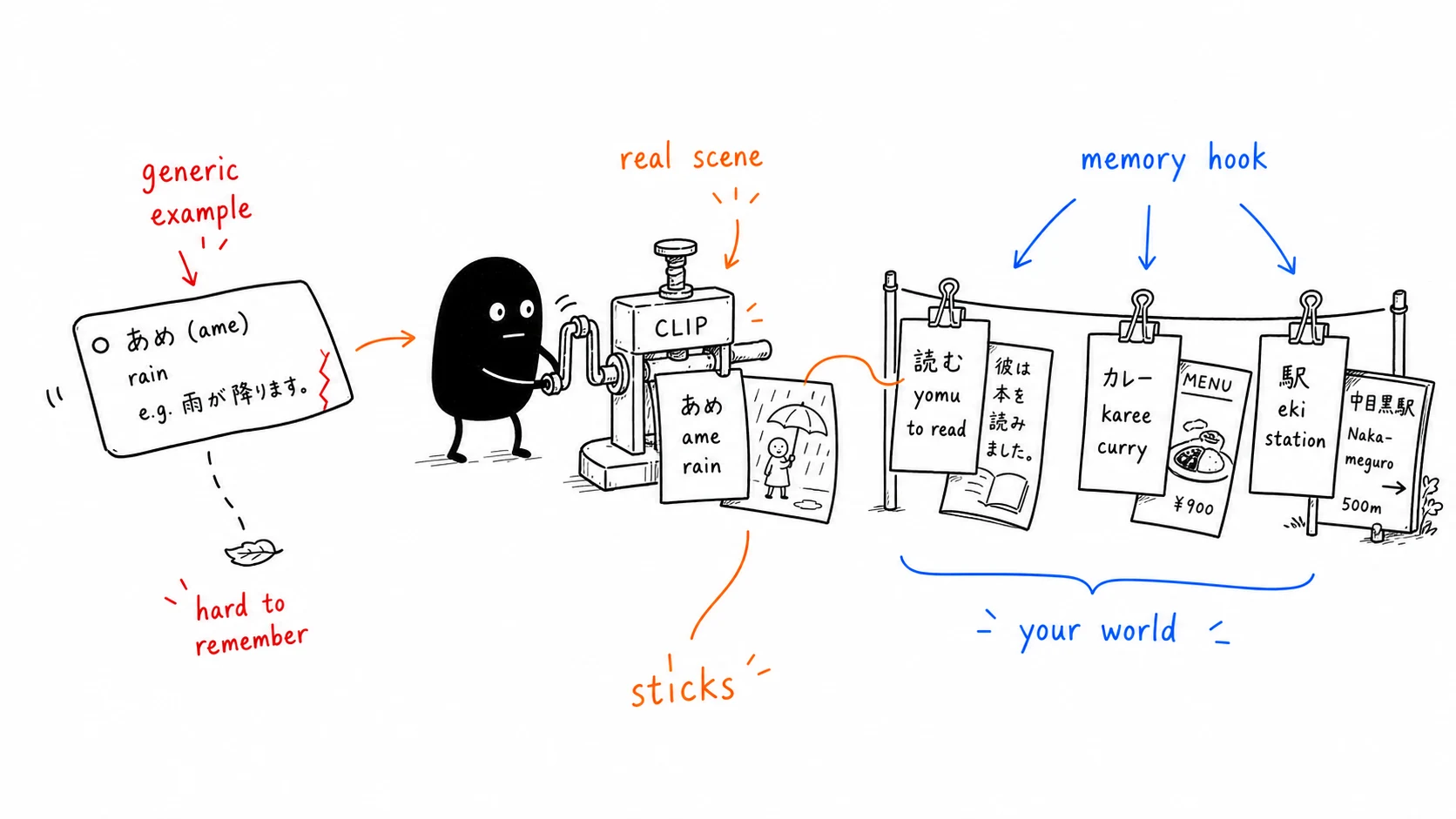
- The examples are fake. A definition you paste from a dictionary has no connection to your life. Your brain remembers words best in the context where you first encountered them; a generic dictionary sentence throws that context away.
The result is predictable. People who rely on hand-built decks usually stall out before hitting 500 cards — not because they ran out of words, but because they ran out of patience for making cards.
The photo-to-flashcard workflow
The fix is to stop typing and start snapping photos. Modern AI can recognize the objects in a photo and assemble the card for you. The workflow looks like this:
- Snap a photo of something around you — the mug on your desk, a street, a supermarket shelf, the ingredients on your counter.
- AI recognizes the objects in the image and tags each one with its word, right on the photo.
- AI builds the cards — everyday example sentences, a short dialogue, and pronunciation.
- The photo becomes the card — the moment you captured is saved with the words.
- Spaced repetition schedules reviews so each card comes back right before you'd forget it.
Steps 1–4 collapse from five minutes per card to about five seconds per photo. That single change is what makes the difference between a deck that grows and one that dies.
Photo cards vs. hand-made cards
| Hand-made card | Photo card | |
|---|---|---|
| Time per card | ~5 minutes | ~5 seconds per photo |
| Example sentence | Generic, from a dictionary | Everyday sentences and a short dialogue, generated for you |
| Context & memory hook | Weak | Strong — tied to the photo and the moment |
| Breaks your flow | Yes | No — snap and carry on |
| Pronunciation | You find or record it | Included |
The context column is the one people underestimate. Because your own photo stays on the card, the card preserves the real-world context. That's the same reason visual memory works — pairing a word with a real scene gives you a second path back to it.
Where this works best
Photo-to-flashcard isn't for every situation. It shines when the words come from your world:
- At home. The mug on your desk, the ingredients for dinner, whatever is on the shelf — photograph it and carry on.
- Out and about. A street, a supermarket shelf, the café you're sitting in.
- Travel. A market stall, a station platform, a dish on the table. Shoot it and you've built tomorrow's deck while waiting for dinner.
For a fixed, standardized word list — say, a complete TOEIC or exam vocabulary set — a curated deck still has its place, since you can't photograph thousands of words at once. The two approaches pair well: a standard deck for broad coverage, and photo cards for the real-world vocabulary you encounter day to day.
How KaChiKa does it
KaChiKa is built for this image-to-flashcards workflow. Point it at something around you and it handles the rest:
- Photo to cards in ~5 seconds. It generates words, everyday sentences, short dialogues, and pronunciation, while the source image keeps the context visible.
- Word tags on the photo. It recognizes the objects in the shot and tags each one with its word, right on the picture.
- Visual memory built in. The photo you took stays on the card, so recalling the scene helps recall the word.
- FSRS spaced repetition. Reviews are scheduled with a modern forgetting-curve algorithm, more accurate than the older SM-2.
- Free to start. The iOS and Android free tier has AI-generation limits. For comparison, Anki's iOS app alone is $25.
The point isn't the AI for its own sake. It's that the friction which kills most vocabulary habits — making the cards — basically disappears.
Try it on one photo
The best way to feel the difference is to do it once. Photograph the mug on your desk or what's on your kitchen counter. Seconds later the first cards are there — everyday sentences, a short dialogue, and pronunciation included, no typing.
Related reading: How spaced repetition algorithms actually work · How to learn vocabulary faster
Photo guides in other languages: Japanese · Korean · Simplified Chinese. Anki users who need the OCR-clean-CSV-import route should use the separate scan-to-Anki workflow guide.
FAQ
How do you make flashcards from a photo?
With a photo flashcard app: photograph something around you, the AI recognizes the objects in it, tags each with its word on the photo, and generates everyday sentences, a short dialogue, and pronunciation. It takes about five seconds instead of the 5 minutes per card it used to take by hand. For text on a page, an OCR tool is the separate route.
Are photo-generated flashcards better than hand-made ones?
For words from your own life, yes. The card keeps the photo of the moment you met the word, so that scene becomes a powerful memory anchor. Hand-made cards usually use a generic dictionary sentence and no picture, with no connection to you, which is far easier to forget.
Won't it turn every word on the page into a card?
KaChiKa doesn't read pages. It recognizes the objects in your photo and tags those, so a shot of your desk gives you cards for the things on the desk, not every word in a paragraph.
When is photo-to-flashcard most useful?
When the words come from your world: the mug on your desk, a street you walk down, a supermarket shelf, the ingredients for dinner. For a fixed exam word list a curated deck still helps, since you can't photograph thousands of words at once.
Is there a free app to make flashcards from photos?
Yes. KaChiKa is free to start on iOS and Android, turns photos into words, everyday sentences, short dialogues, and pronunciation in about 5 seconds, and schedules reviews with FSRS. The free tier has AI-generation limits.
How many words do I get from one photo?
KaChiKa recognizes up to six objects per photo. Each one gets its word, pronunciation, and translation as a tag on the photo, plus one sentence describing the scene and a short dialogue. New words go into your review queue automatically; words already in your word book aren't added twice.
Can I turn any image into flashcards?
Photo flashcard apps like KaChiKa work best with clear shots of everyday objects and scenes. OCR tools that read text need clean pages; small print, glare, handwriting, and specialized terms should always be verified against the source image before reviewing.
