Scan to Anki: OCR, Clean, CSV Export, and Import Workflow
TL;DR: Anki has no built-in "scan a photo → get cards" feature. The real workflow is four manual steps: OCR the photo, clean the text, format it into a CSV, then import. Add-ons like Image Occlusion help with diagrams, but they offer no shortcut for vocabulary cards. If photo-to-card is the part you actually want, a tool built around it — point camera, get cards in a spaced-repetition queue — removes the whole loop.
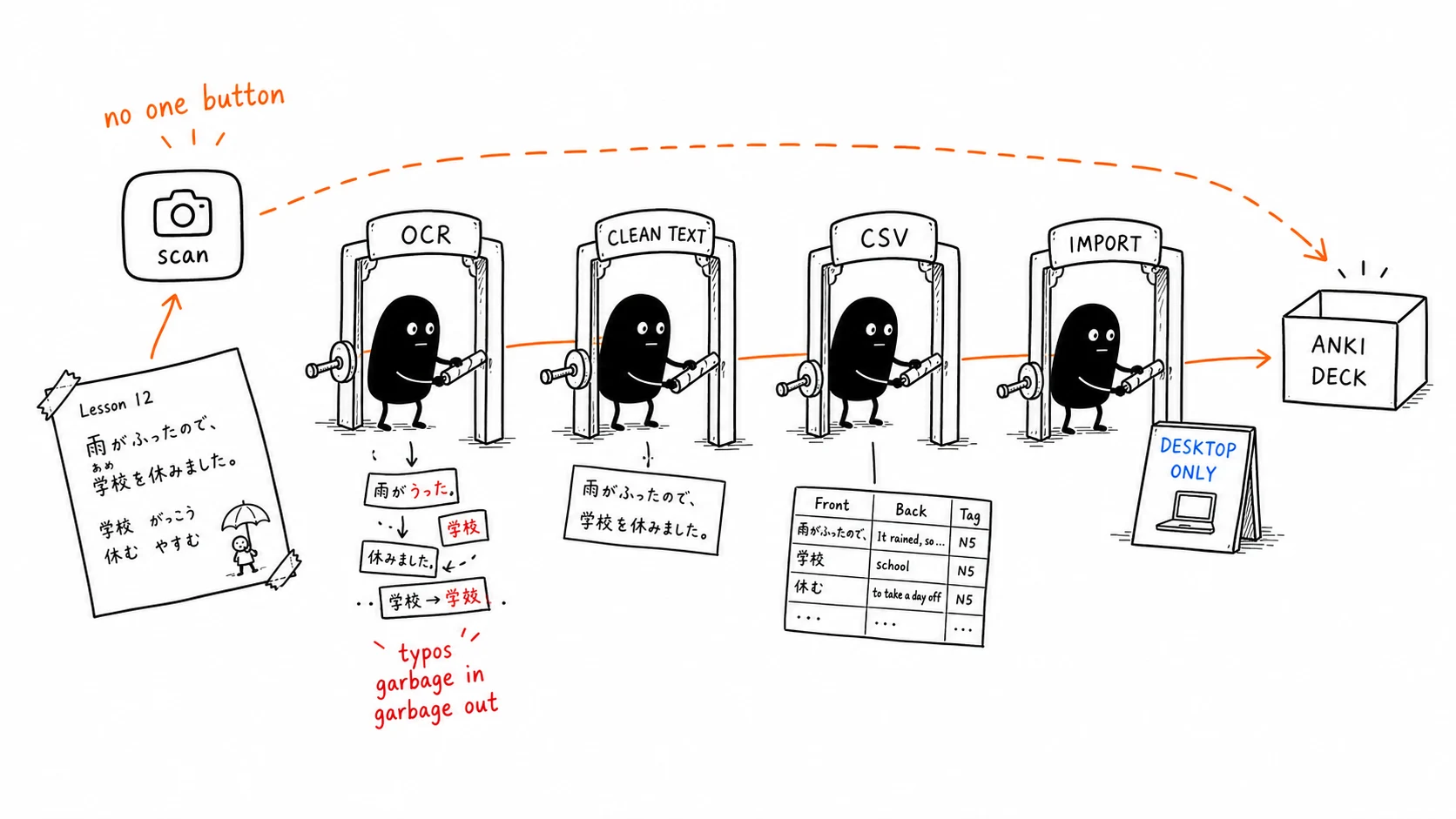
What "scan to anki" actually means
People search scan to anki (or image to anki, photo to flashcards) expecting a one-click process: snap a photo of a textbook page or vocabulary list and instantly get a deck. Anki doesn't work that way. It's a powerful, free spaced-repetition engine, but card creation is manual by design. Understanding that gap is the whole point — then you can decide whether to do the steps or skip them.
The manual workflow (the one that actually works in Anki)
If you want to stay inside Anki, here is the reliable path. It works; it just takes time.
| Step | What you do | Tool | Friction |
|---|---|---|---|
| 1. OCR | Extract text from the photo | Google Lens, phone text-scan, desktop OCR | Errors on small/handwritten text |
| 2. Clean | Fix OCR mistakes, split terms | Any text editor | A few minutes per page |
| 3. Format | Put front/back into two columns | Spreadsheet → save as CSV | Field order must match |
| 4. Import | File → Import, map fields, pick deck | Anki desktop | Mobile can't import easily |
The snag most people hit: importing is desktop-only in practice, and OCR errors compound — a misread character becomes a flawed card you'll dutifully memorize. For a single clean printed list this is fine. For a stack of pages, it's the same data-entry chore that kills decks before they grow. (For the OCR mechanics themselves, see how to make flashcards from a photo with OCR + AI.)
The add-ons people reach for
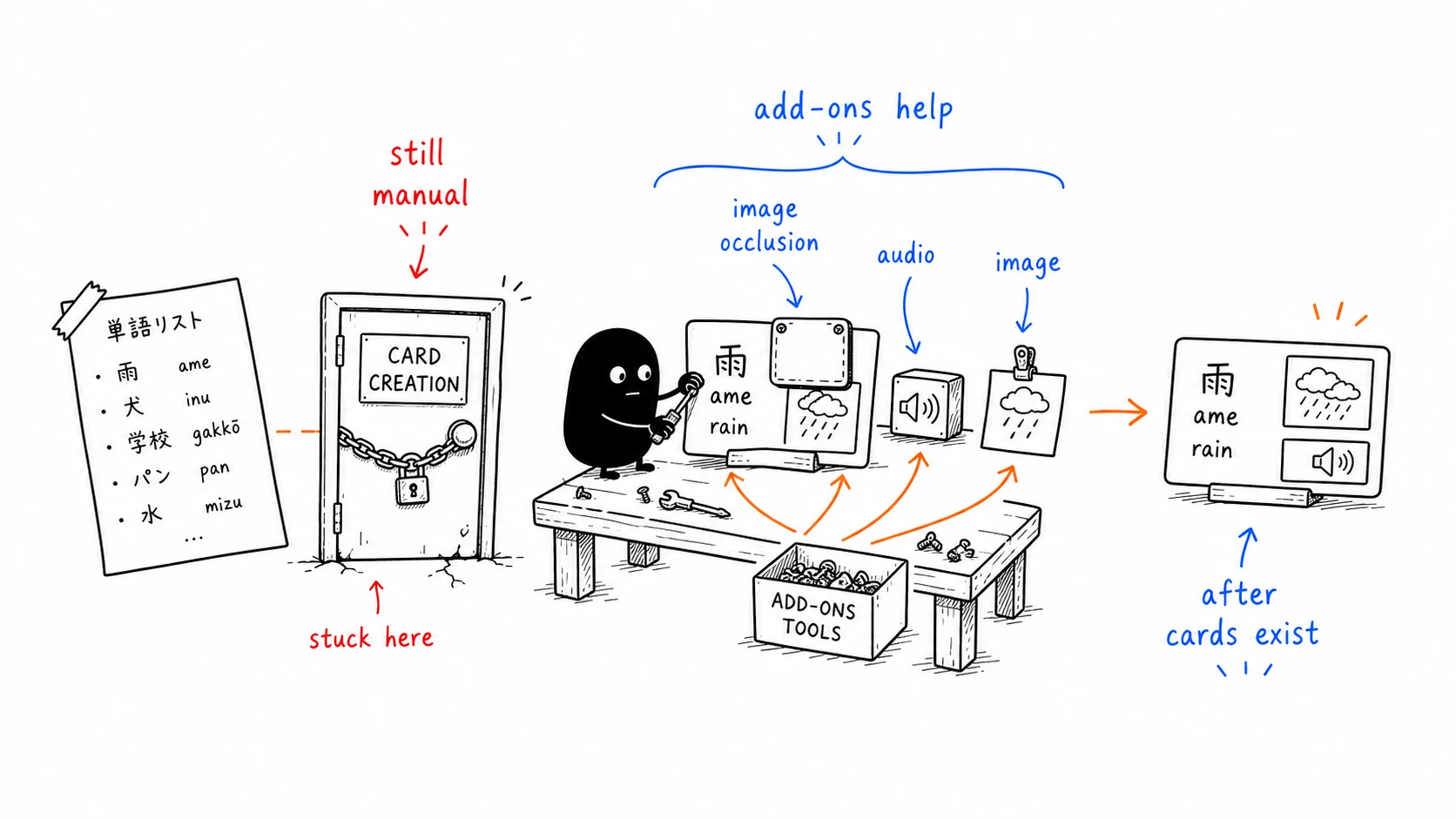
- Image Occlusion Enhanced — upload a diagram, mask the labels, each hidden region becomes a prompt. Brilliant for anatomy, maps, and labeled schematics. But you build every mask by hand, and it doesn't help with a vocabulary list.
- AwesomeTTS / pasted images — you can enrich cards with audio and pictures, but only after the cards exist. None of this generates cards from a photo.
The pattern is consistent: Anki's ecosystem makes cards richer, not faster to create.
Why this matters more than it looks
The bottleneck in flashcard study was never the reviewing — it was making the cards. Every minute spent on the OCR-clean-format-import loop is a minute not spent learning, and it's the friction that makes most decks die young. A rougher card you actually review beats a perfect one you never make — see how spaced repetition algorithms decide what to show you.
The faster path: skip the loop
This is where a photo-first tool changes the math. Instead of photo → OCR → clean → format → import, the flow is just photo → cards in a review queue:
- Point your camera at a page, a sign, a menu, or your physical surroundings.
- AI extracts the vocabulary and builds finished front/back cards.
- They land directly in a spaced-repetition schedule — no desktop, no CSV, no field mapping.
That's what KaChiKa is built around. If you're an Anki user, the trade-off is concrete: you give up Anki's deep customization and add-on ecosystem, and you get card creation that takes seconds instead of minutes. See KaChiKa vs Anki for the full comparison, or the best free Anki alternatives for 2026 for the wider field.
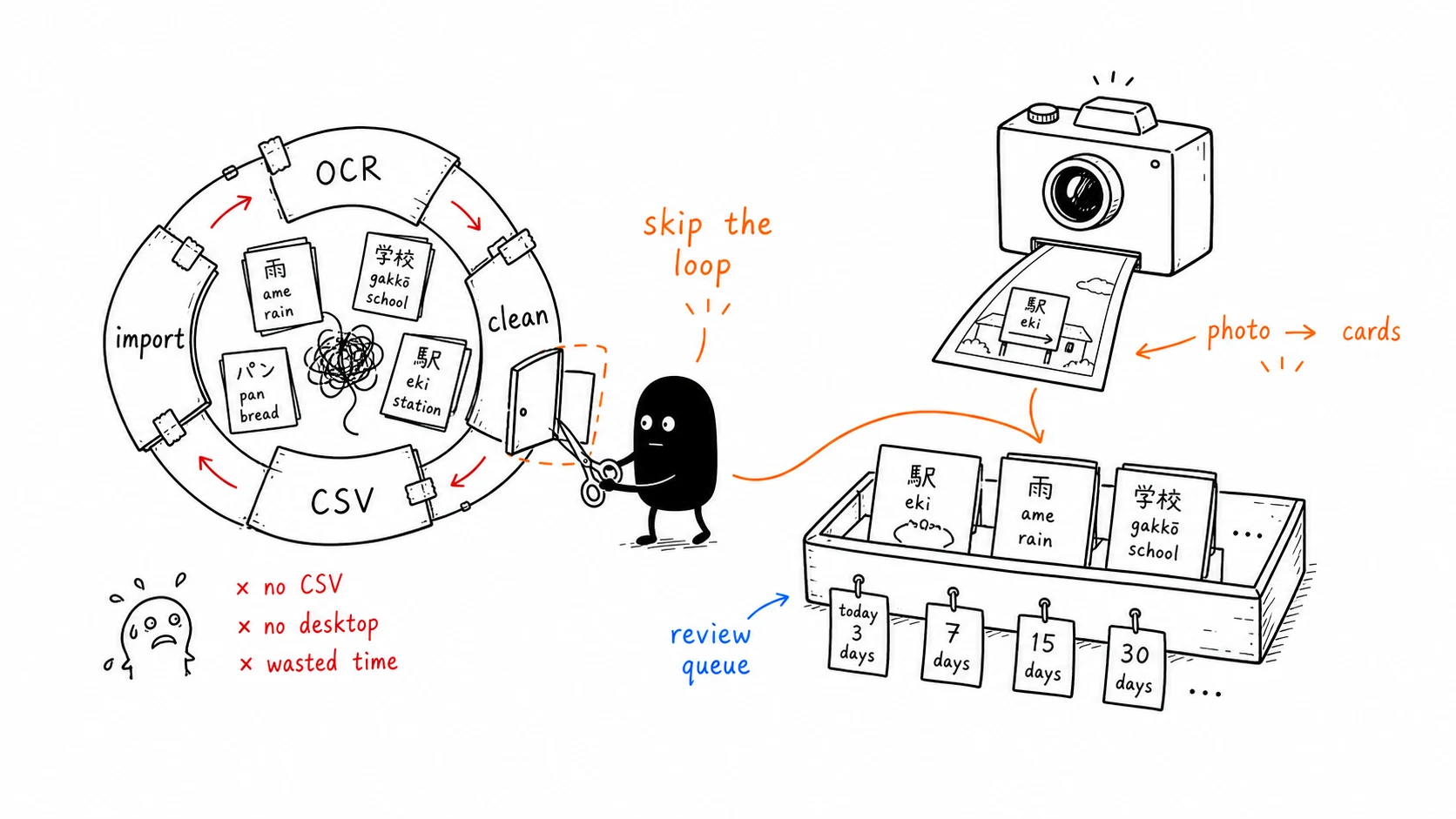
Try the no-import version: snap a photo of anything you're studying and watch it become flashcards — download KaChiKa free.
If you do not need an Anki-compatible import workflow, the canonical guide to the broader method is Photo to Flashcards: OCR + AI Image Flashcard Maker.
FAQ
Can Anki create flashcards from a photo automatically?
Not on its own. Anki can store images inside cards, and the Image Occlusion add-on lets you hide parts of a diagram, but Anki has no built-in feature that takes a photo of text and generates cards from it. To go from photo to cards you have to OCR the text with a separate tool, clean it up, format it into a CSV or TSV file, and import that file.
How do I scan text into Anki?
The reliable manual route is four steps — run the photo through an OCR app (Google Lens, your phone's built-in text scanner, or a desktop OCR tool), copy the extracted text, arrange it into front/back columns in a spreadsheet, then use Anki's File → Import to bring in the CSV with the right field mapping. Expect to spend a few minutes per page cleaning OCR errors.
What is the Image Occlusion add-on for?
Image Occlusion Enhanced lets you upload an image — a diagram, a map, an anatomy figure — and mask labels so each hidden region becomes a recall prompt. It's excellent for visual subjects, but you still build every card by hand. It does not turn a photo of a vocabulary list into cards.
Is there an app that turns photos into flashcards without all the steps?
Yes. KaChiKa is built around photo-to-card — point your camera at a page, a sign, a menu, or your physical surroundings, and it extracts the vocabulary with AI and drops finished cards into a spaced-repetition queue. There's no OCR-clean-format-import loop, and review scheduling is automatic.
