Best Anki Alternatives in 2026 (Free Options + iOS)
Anki is still the most capable spaced repetition system you can install — and the reasons people search for Anki alternatives in 2026 haven't changed: the iOS app costs $24.99 while every rival is free to download, each card is built by hand, and the manual is longer than some textbooks. This guide ranks the 2026 field — free options first, iOS included: eight real alternatives plus Anki itself as the benchmark — by criteria you can check yourself: real free-tier limits, scheduler quality (FSRS or not), pricing checked against every vendor in July 2026, and what each app is genuinely best at. No app wins everything, including ours.
Disclosure: KaChiKa (#3 below) is our app. Its entry sticks to facts you can check, and every other pick is chosen for the job it does best.
The Short Answer
For most people the best Anki alternative in 2026 is one of four apps: RemNote for notes, PDFs, and exam prep; KaChiKa for vocabulary from daily life — free to start on iOS, photo flashcards, FSRS scheduling; Quizlet for a teacher's ready-made sets; Mochi for Markdown note-takers. On Android, remember AnkiDroid itself is free — leave Anki over the card-building labor, not the price.
| You're searching for… | Pick | Why |
|---|---|---|
| Free Anki alternative on iOS | KaChiKa | Free to download — no $24.99 — with FSRS scheduling and photo-to-card creation; free tier has AI-generation limits |
| AnkiDroid / Android alternative | Anki itself (AnkiDroid) | AnkiDroid costs nothing; switch only to escape manual card-building, not to save money |
| Notes, PDFs, exam calendar | RemNote | Best notes-to-flashcards flow; free tier is usable daily |
| Class sets, casual studying | Quizlet | Biggest library of ready-made sets — but adaptive practice, not true SRS |
| Markdown notes → reviews | Mochi | Unlimited free cards and reviews; sync is what you pay for |
Every cell above is unpacked in the full comparison table and per-app breakdowns below, with prices checked July 2026.
👉 Not ready to commit to an app yet? Build a free revision timetable first — pick a start date and get a printable study schedule on spaced repetition intervals. It shows you the daily review load any of these apps will end up managing for you.
Why People Leave Anki
Nobody quits Anki because spaced repetition failed them. The forgetting curve is real, Anki's scheduling is excellent, and its shared decks are unmatched. People leave over four practical walls:
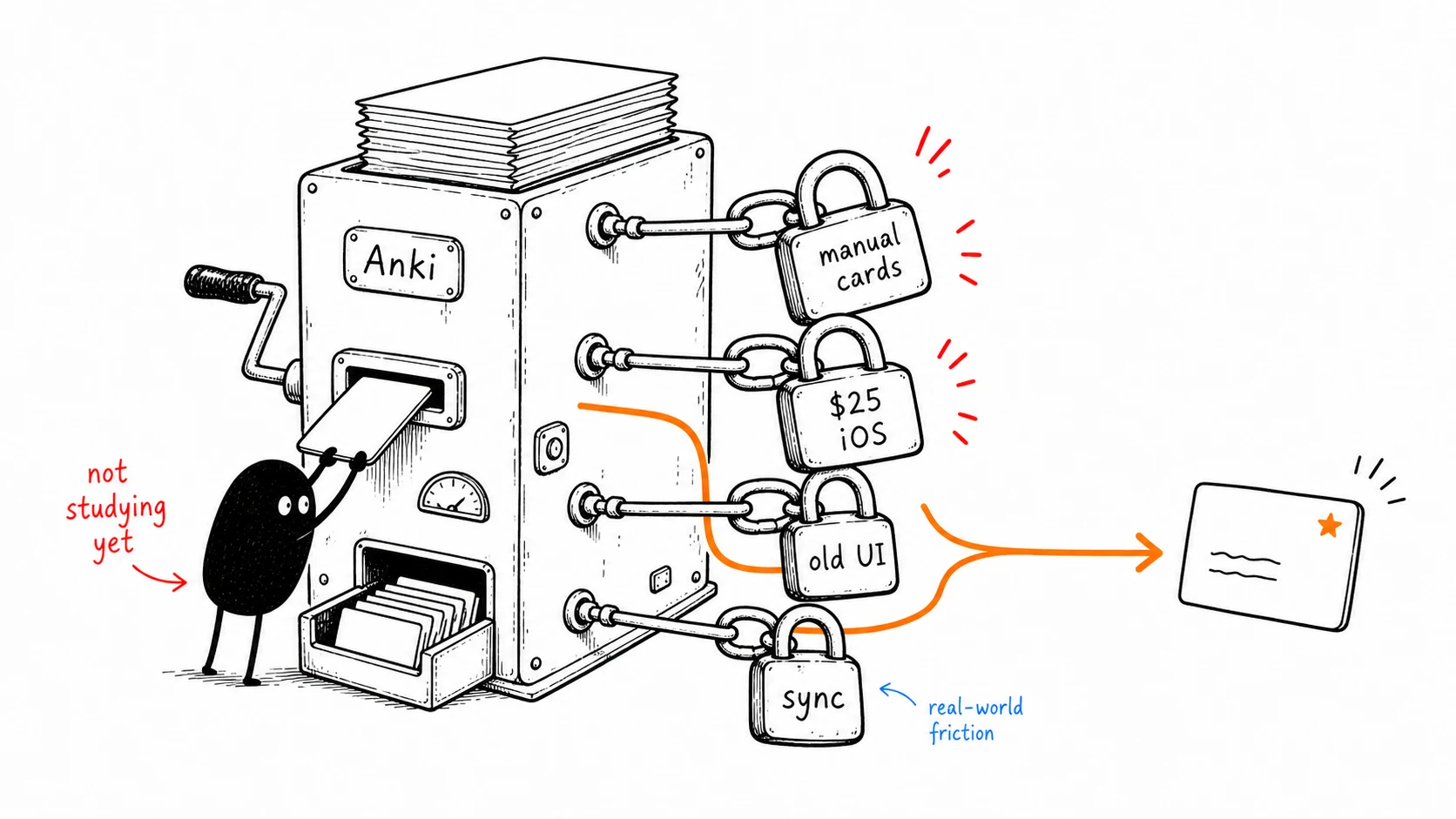
- The $24.99 iOS tax. Anki is free on desktop and Android, but AnkiMobile costs $24.99 — the most expensive app most students will ever see in the App Store. It funds the whole project (a fair model), but if you study on an iPhone, Anki is the only ostensibly "free" app that requires an upfront purchase on iOS.
- Manual card-building. A good vocabulary card — word, meaning, example sentence, image, audio — takes minutes to assemble by hand. At a hundred cards, that's hours of clerical work before any studying happens. As one r/Anki poster put it: "I spend an absurd amount of time making flashcards. I'm starting to second guess if Anki is worth it."
- The learning curve. Note types, sub-decks, add-ons, scheduler settings. Anki's official manual runs well past 100 pages, and the out-of-the-box defaults are far from optimal. The r/Anki version: "I cannot believe something that looks so ugly and basic is so difficult to use."
- A dated interface. Functional, but visibly from another era — which matters when the app has to win the daily fight for your attention against everything else on your phone.
- The knockoff trap. Searching "Anki" on the App Store surfaces unrelated paid apps ("AnkiApp", "AnkiPro") trading on the name — r/Anki regularly hosts people asking how to get their cards back out of them. Any honest alternatives list has to say this plainly.
If none of these bother you, keep Anki; it's a superb system. If at least one does, the field in 2026 is genuinely good — but the right pick depends on what you study.
How We Evaluated (July 2026)
"Best" claims are cheap, so here is the rubric instead. Every criterion below is something you can verify yourself, and every price and feature claim in this guide carries the month we checked it:
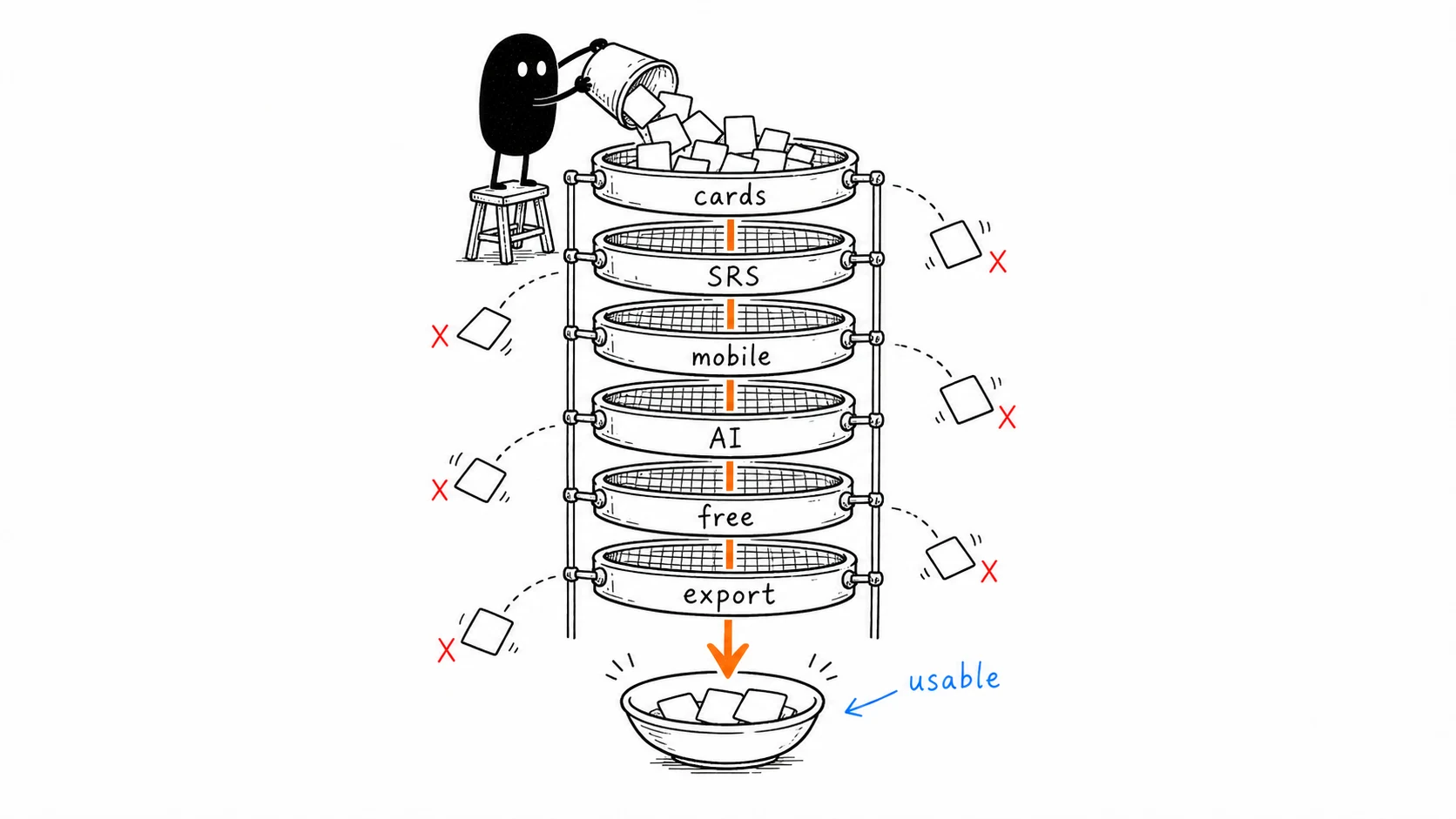
- Card-creation friction. How much work stands between you and a reviewable card — manual entry, note syntax, or a photo? This is where Anki loses most people, so it's criterion one.
- Is the free tier usable daily? Not "has a free plan" — can you actually study every day on it without hitting a wall in week one?
- Is iOS really free? Measured against AnkiMobile's $24.99 baseline.
- Scheduler quality. FSRS achieves the same retention with roughly 20–30% fewer reviews than SM-2 in benchmarks on 500M+ real reviews. "Has spaced repetition" is not one feature — the algorithm matters.
- Can you leave? Export formats, lock-in risk.
- Language-learning fit. Audio, example sentences, image context — or is the app really built for exam facts?
One rule about scope: this list only includes real spaced-repetition systems. Quiz-game tools like Kahoot! and StudyStack show up on other "Anki alternatives" lists, but they don't schedule reviews against your forgetting curve, so they can't replace Anki for anyone using it seriously.
Pricing was checked in July 2026 against each vendor's published pricing page — several lists still circulate numbers from years past.
Anki Alternatives Compared
| App | Best for | Free iOS | Free Android | Scheduler | Card creation | Starting price (checked 2026-07) | Skip it if… |
|---|---|---|---|---|---|---|---|
| RemNote | Notes + exams in one place | Yes | Yes | Own; FSRS opt-in beta | From notes & PDFs | Pro $96/yr (web) | You just want flashcards |
| Anki | Max control + shared decks | No — $24.99 | Yes | FSRS built-in (one toggle) | Manual | Free on desktop/Android | You're iPhone-first and hate manual work |
| KaChiKa | Free iOS + photo-to-card vocab | Yes — AI limits | Yes — AI limits | FSRS | Photo → cards, seconds | Free; Pro $2.99/mo | You need pre-made curriculum decks |
| Quizlet | Class sets, beginners | Yes — ads, mode caps | Yes — same | Adaptive, not true SRS | Manual + AI (paid) | Plus $35.99/yr | You want a real SRS scheduler |
| Mochi | Markdown notes → cards | Yes — no sync | Yes — no sync | Own; FSRS opt-in beta | Markdown | Pro $5/mo | You don't write Markdown |
| Brainscape | Confidence-based drilling | Yes — own decks | Yes | Confidence-based (own) | Manual + CSV import | $7.99/mo billed yearly | You want FSRS-grade scheduling |
| Noji (ex-AnkiPro) | Polished mobile flashcards | Yes — 50 cards/day | Yes — 50 cards/day | Own, Anki-style buttons | Manual + AI | ~$45/yr | You review >50 cards/day or ever want to leave |
| SuperMemo | Algorithm purists (Windows) | Course app only | Course app only | SM-20 + FSRS (desktop) | Manual | $68 one-time (Windows) | You study on a phone |
| Memrise | Guided language courses | Yes — intro lessons | Yes — intro lessons | Own | Pre-made courses | $61.99/yr | You want your own cards |
Prices fluctuate, and app stores frequently charge more than vendor websites for the same subscription (RemNote Pro is $96/yr on the web but $149.99/yr via iOS in-app purchase; Brainscape's "$7.99/mo" is billed annually — the actual App Store monthly is $19.99). We highlight both price points wherever this markup applies.
Short on time? If your vocabulary comes from daily life and you're on a phone: photograph one scene → cards in seconds, free on iOS. Download KaChiKa free — otherwise, the detailed breakdown follows.
1. RemNote — Best for Notes, PDFs, and Exams in One Place
Best for: students whose flashcards should be a byproduct of note-taking — lectures, PDFs, an exam calendar.
If your studying starts from documents, RemNote is the strongest Anki alternative, full stop. You take outline notes, mark a line with >>, and it becomes a flashcard; PDF highlights turn into cards the same way. Nothing else integrates notes and spaced repetition this tightly, and it's why RemNote tops most alternatives lists (including its own).
Two important caveats to consider: First, the scheduler: RemNote's default is its own Anki-style (SM-2 family) algorithm; FSRS is available but officially beta — you enable it manually under custom schedulers. If scheduler quality is your reason for leaving Anki, make sure you understand the practical benefits of FSRS and note that it is an opt-in beta here, not the default. Second, language learning is not its primary focus: there are no pre-built courses, no native text-to-speech, and image-occlusion is capped at 5 cards on the free plan.
Pricing (checked 2026-07): free plan is genuinely usable daily — unlimited notes and flashcards, capped at 3 PDF annotations and 100 AI credits. Pro is $96/yr billed on the web (~$8/mo); the same plan via iOS in-app purchase is $149.99/yr — subscribe on the website, not in the app.
Pros:
- Best-in-class notes-to-flashcards flow; PDF highlighting → cards
- Unlimited cards on the free plan
- Exports to Anki .apkg — you can leave with your data
- FSRS available (beta)
Cons:
- A learning curve of its own: you commit to the RemNote way of note-taking
- Heavy app; mobile trails desktop
- Weak for vocabulary-from-life and audio-first language study
- iOS subscription markup is steep
Skip it if: you don't take structured notes. As a pure flashcard app it's over-engineered, and simpler tools below will fit better.
2. Anki — Still the Power-User Benchmark
Best for: working through existing high-quality shared decks with maximum control.
Any honest alternatives list has to start by conceding that Anki works. In a 2023 cohort study of 130 medical students, Anki users scored 6.2–10.7 percentage points higher across four exams than non-users, even after adjusting for baseline MCAT scores (Gilbert et al., Medical Science Educator, 2023) — an observational result, so motivated students may explain part of the gap, but the direction matches decades of spaced-repetition research. Anki has FSRS built in — one toggle in deck options, not yet the default — and its community deck library (USMLE, JLPT, law, geography) remains the single biggest reason to stay.
Pricing (checked 2026-07): free on desktop, Android (AnkiDroid), and AnkiWeb; AnkiMobile for iOS is $24.99 one-time.
Pros:
- The largest shared-deck library in existence — someone has already built your curriculum
- Built-in FSRS scheduling support (via deck options toggle), deep add-on ecosystem (image occlusion, TTS, AnkiConnect)
- Full data ownership: export everything, self-host sync
- Genuinely free on desktop and Android
Cons:
- Manual card creation is the tax you pay forever — the scan-to-Anki route softens it, but doesn't remove it
- $24.99 on iOS
- The learning curve is real, and the interface shows its age
- Beware the App Store knockoffs ("AnkiApp", "AnkiPro") — they are not this app
Skip it if: you study on an iPhone, your material isn't already a shared deck, and you'd rather spend your hours reviewing than building. That's not a niche case — it's most language learners, which is why the rest of this list exists.
3. KaChiKa — Best Free iOS Alternative for Real-World Vocabulary
Best for: learning the language that's actually around you — on your phone, without ever building a card.
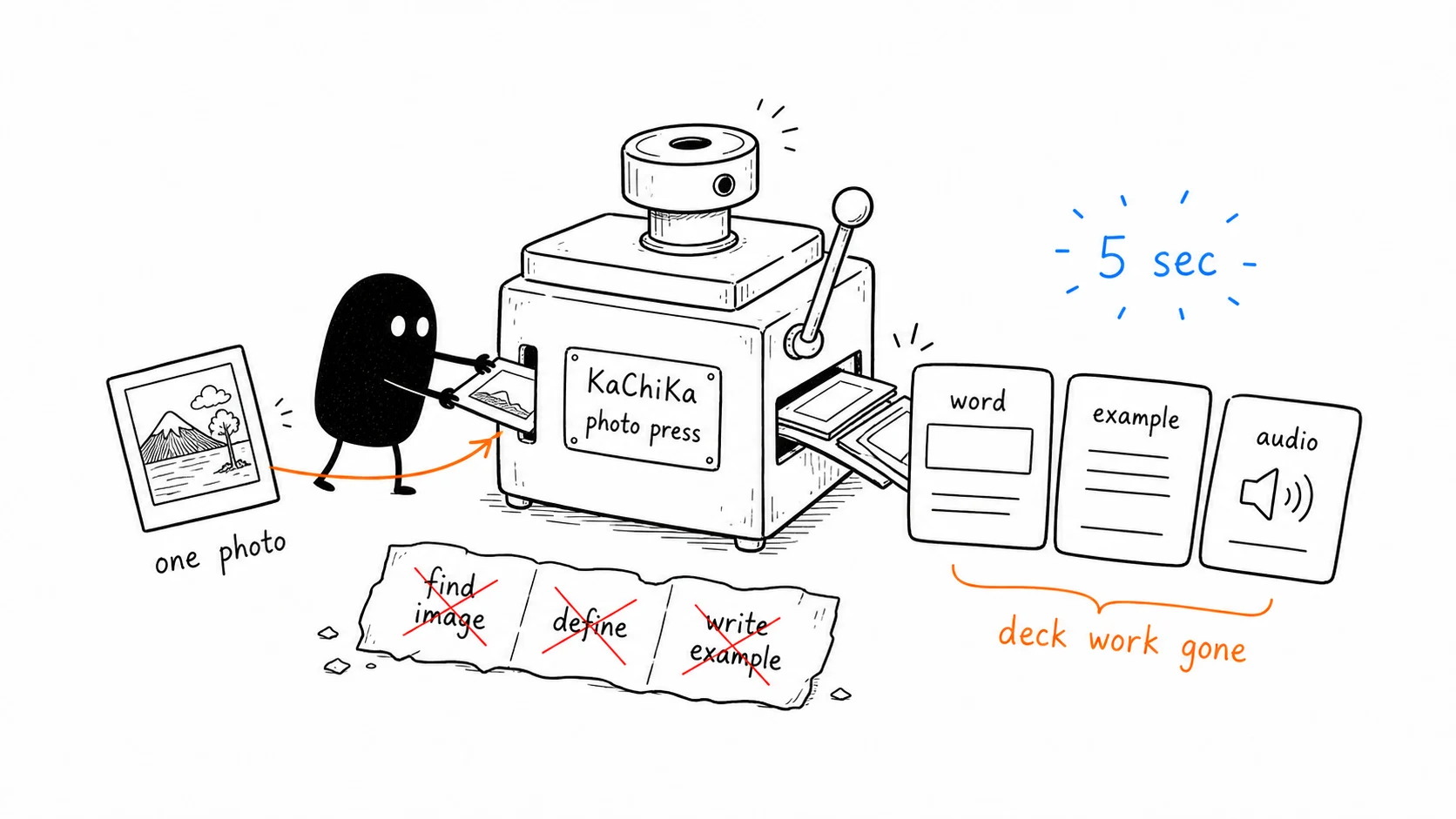
Full disclosure: KaChiKa is our app, so we'll keep this section to the facts. The premise is different from every notes-first tool above: instead of turning documents into cards, KaChiKa turns the world into cards. Point the camera at your desk, a menu, a street corner — in about five seconds the AI recognizes the objects, tags them as interactive word labels right on the photo, and turns them into flashcards with everyday example sentences, short dialogues, and pronunciation. (Here's how the image analysis works.) The main app covers English, Korean, French, Chinese, Spanish, and Italian; Japanese learners get a dedicated edition, KaChiKa JA, built around JLPT vocabulary.
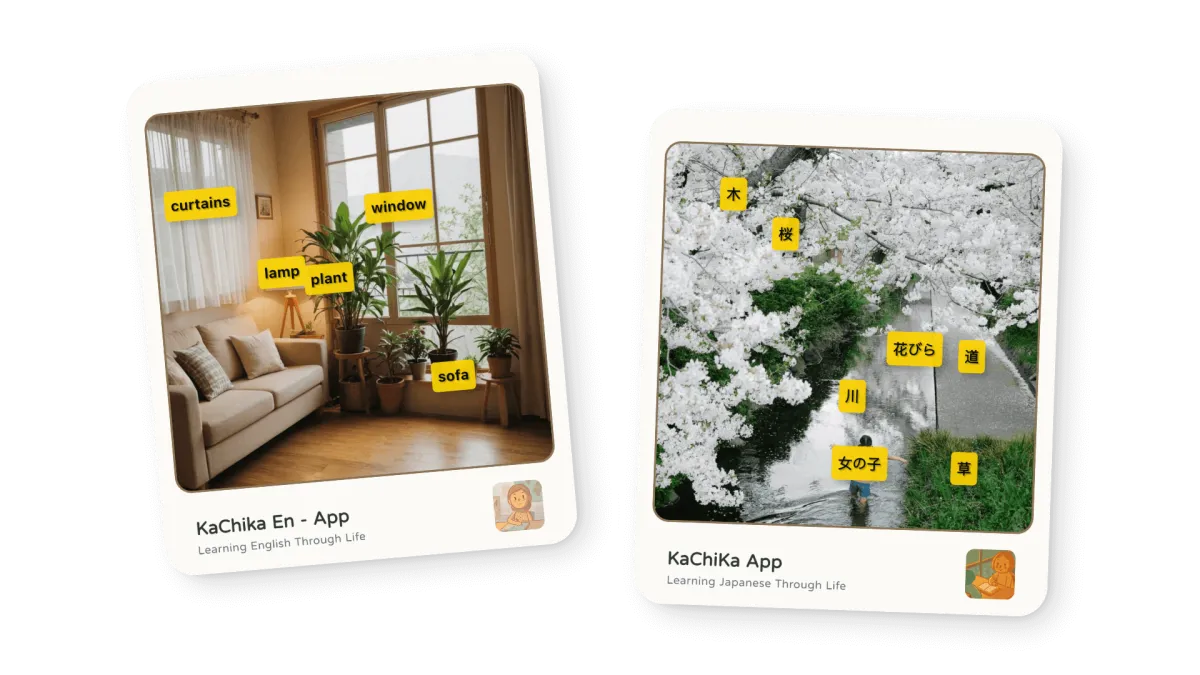
The scheduler is FSRS — not "FSRS-inspired": the app runs a Dart port of the open-source algorithm, the same one Anki offers — but you never see a deck editor, and reviews work fully offline. Making a card sends the photo off for AI analysis, but there's nothing to sign up for and nothing kept in a cloud library: your cards and study history live on the device.
Pricing (checked 2026-07): free to start on iOS & Android — no $24.99 platform tax. The free tier has AI-generation limits; Pro is $2.99/mo or $29.99/yr — the cheapest paid tier in this entire comparison, less than Mochi's $5.
Pros:
- Photo-to-card removes the deck-building chore entirely — the exact tax Anki charges forever
- Visual context makes stronger memory anchors than bare word pairs
- FSRS scheduling, offline reviews, modern mobile-first UX
- Making a card sends the photo for AI analysis; cards and study history stay on your device; share finished cards to social if you choose
- Six target languages in the main app, plus a dedicated JLPT-focused Japanese edition
Cons:
- No community deck library — if your curriculum is a shared deck, use Anki for that part
- Built for real-world vocabulary, not dense medical or legal fact sets
- No 1:1 replacement for niche Anki add-ons (image occlusion, cloze editor)
- Free tier has usage limits
Skip it if: your study material is a textbook syllabus someone already turned into a deck. If you're coming from Anki, the switching guide covers what transfers and what doesn't, and KaChiKa vs Anki is the feature-by-feature comparison.
Photograph one scene → cards in seconds. Free on iOS. Download KaChiKa free
4. Quizlet — Best for Class Sets and Beginners
Best for: studying a teacher's ready-made sets with polished game modes — and knowing its limits.
Quizlet is the most popular app on this list by an order of magnitude, and the polish is real: Match games, Learn mode, AI-generated practice, and a near-infinite library of existing study sets. If your class already lives on Quizlet, use Quizlet.
The catch is the engine. Quizlet's Learn is adaptive practice, not true spaced repetition — its old Long-Term Learning mode was retired years ago, and nothing schedules reviews against your forgetting curve the way SM-2/FSRS systems do. Fine for Friday's quiz; weak for remembering anything next year. The free tier has also tightened: ads throughout, daily caps on Learn and Test modes, and the AI features (Q-Chat, Magic Notes) locked behind Plus.
Pricing (checked 2026-07): free with ads and mode caps; Quizlet Plus $7.99/mo or $35.99/yr.
Pros:
- Enormous library of existing study sets; great classroom features
- Polished, fun study modes that beginners actually stick with
- Built-in text-to-speech and image cards
Cons:
- Not a real SRS — no long-term scheduling
- Free tier: ads plus daily limits on the useful modes
- Weak export; your data mostly stays in Quizlet
Skip it if: long-term retention is the goal. If you're actively looking to leave, we wrote a separate guide to Quizlet alternatives.
5. Mochi — Best for Markdown Note-Takers
Best for: developers and technical learners who already write Markdown and want reviews layered on top.
Mochi is the quiet overachiever here. You write Markdown; card sides split on ---; done. The free tier is the most honest on this list — unlimited cards, unlimited reviews, fully offline — with one real limit: no cross-device sync until you pay. And the $5/mo Pro is the second-cheapest upgrade in this comparison, behind only KaChiKa's $2.99.
For language learners it's better than its note-tool reputation suggests: built-in text-to-speech, integrated dictionary and translation tools, and clean image support. Like RemNote, its FSRS support landed as an opt-in beta (mid-2025) — the default scheduler is its own.
Pricing (checked 2026-07): free (unlimited, offline, single-device); Pro $5/mo adds sync, publishing, and AI features.
Pros:
- Most generous free tier of any app here
- Excellent export: Markdown, CSV (Anki-compatible), full JSON archive
- Built-in TTS and dictionary
- Clean, fast, no gamification noise
Cons:
- No sync on the free plan
- Small community — few shared decks, less third-party help
- Card creation is still typing; no photo-to-card
- Desktop-first design; the mobile app is functional rather than polished
Skip it if: Markdown means nothing to you — the whole workflow assumes it.
6. Brainscape — Best for Confidence-Based Drilling
Best for: learners who stick with habits better when the app asks "how well did you know that?" every single card.
Brainscape's whole system is Confidence-Based Repetition: after each card you rate your confidence 1–5, and that rating drives the schedule. It's not FSRS and it's not SM-2, but the constant self-assessment genuinely helps some people pay attention, and the certified deck marketplace (including audio-equipped language decks) is solid.
Pricing (checked 2026-07): free tier covers unlimited studying of your own cards plus a slice of the pro content library. Paid is where you read carefully: the advertised $7.99/mo is billed annually ($95.99/yr) — the actual month-to-month price on the App Store is $19.99. Export of your own cards is also Pro-only, which is the wrong side of the data-ownership line.
Pros:
- Confidence ratings keep you honest and engaged
- Unlimited self-made cards for free; CSV import
- Certified language decks with audio
Cons:
- Proprietary scheduler, no FSRS option
- Export is locked behind Pro — your cards are effectively held hostage on the free plan
- Real monthly price is 2.5× the advertised one
Skip it if: you want research-grade scheduling or free data portability.
7. Noji — Polished Mobile Flashcards (the App Formerly Known as AnkiPro)
Best for: straight flashcards in a genuinely modern mobile UI — if the free limits and the exit door don't bother you.
Transparency first, because most lists skip it: Noji is AnkiPro rebranded (the in-app purchases still say "AnkiPro Premium"). AnkiPro built its user base by trading on Anki's name while being unrelated to the open-source project — the r/Anki threads from people trying to get their cards back out are easy to find. The rebrand is an improvement, and the app itself is slick: clean design, Anki-style Again/Hard/Good/Easy buttons, a big shared-deck library, AI card generation.
But read the fine print. The free tier caps you at 50 cards per day, with images, audio, offline study, and custom intervals all behind Premium. And the exit is narrow: export is CSV text only — no .apkg — so images and formatting don't leave with you. Anki compatibility here is one-way: in, not out.
Pricing (checked 2026-07): free (50 cards/day); Premium $4.99/mo, roughly $45/yr (several overlapping yearly SKUs are live at once).
Pros:
- One of the best-looking flashcard apps on iOS
- Large shared-deck library, AI generation built in
- Familiar Anki-style review flow
Cons:
- 50 cards/day free cap is below a serious daily review load
- No .apkg export; CSV loses images and formatting
- Scheduler is unnamed and unverifiable; custom intervals cost money
- The app's history as AnkiPro warrants healthy skepticism
Skip it if: you review at real volume, or ever plan to move your collection elsewhere.
8. SuperMemo — For Algorithm Purists (Know Which SuperMemo)
Best for: desktop power users who want the bleeding edge of scheduling research — and know they're buying Windows software.
"SuperMemo" is two different products, and lists that don't say so haven't done the homework. The version spaced-repetition purists usually refer to — Piotr Woźniak's original software where SM-2 and the entire field of spaced repetition began — is SuperMemo for Windows. It's very much alive: SuperMemo 20 shipped in April 2026 for $68 one-time, with the new SM-20 algorithm, built-in FSRS, and an "Algorithm Arena" that lets schedulers compete on your own data. Incremental reading, priority queues — the deepest learning system ever built, wrapped in an interface only a purist could love. No iOS, no Android, no free tier.
The "SuperMemo" app on the App Store is a different thing: a language-course subscription service (supermemo.com) with 300+ structured courses and recorded audio, at $9.99/mo. Decent if you want a guided course; not a general flashcard tool, and not the famous algorithm engine.
Pricing (checked 2026-07): Windows: SuperMemo 20 $68 one-time (SuperMemo 19 still sold at $34). iOS/Android course app: free intro, Premium $9.99/mo or $99.99/yr.
Skip it if: you study on a phone, or "incremental reading" sounds like a hobby you don't want.
9. Memrise — Best Pre-Made Language Courses
Best for: beginners who want a structured course with native-speaker video, not a card box.
Memrise isn't really an Anki alternative in the flashcard sense — you can't freely build your own decks anymore — but it earns its slot for one scenario: starting a language from scratch with professionally built courses, thousands of native-speaker video clips, and pronunciation practice. That content is the moat; no flashcard tool matches it.
The trade-offs are structural. The spaced repetition is its own system, folded into a broader lesson flow. The free tier lets you sample early lessons, but speaking practice, offline mode, the AI tutor, and difficult-word review all sit behind the paywall. And there is no meaningful export — your progress lives and dies in Memrise.
Pricing (checked 2026-07): free intro lessons; Pro $24.99/mo — the most expensive monthly on this list — or $61.99/yr, with lifetime deals frequently discounted around $99–131.
Pros:
- Native-speaker video and audio on real course content
- Structured path a beginner can just follow
- Polished mobile experience
Cons:
- Not a tool for your own vocabulary — course content only
- No export at all
- Aggressive paywall for the features that matter daily
Skip it if: you want cards for the words you encounter — that's the opposite lane, covered by KaChiKa above. For how course apps compare with SRS generally, see Duolingo vs Anki.
How to Choose
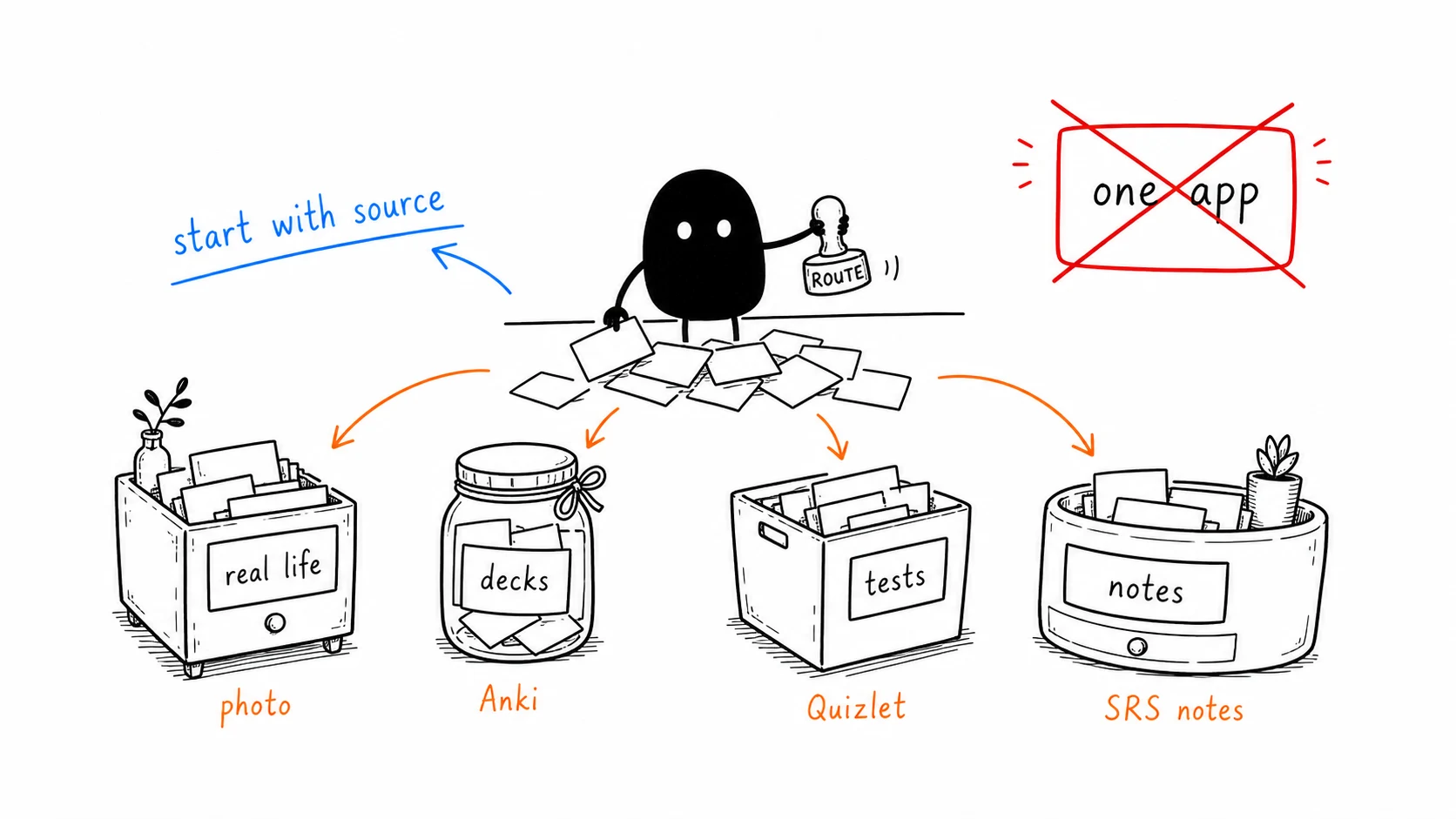
Three questions settle it:
1. Where does your material come from?
- The world around you — menus, signs, conversations, real objects → KaChiKa (photograph it; see how photo-to-card works)
- A curriculum someone already turned into decks (USMLE, JLPT grammar, law) → Anki — the shared-deck library is still the category's crown jewel
- Your own notes and readings → RemNote (outline + PDFs) or Mochi (Markdown)
- A teacher's existing study sets → Quizlet
- A structured course with audio from native speakers → Memrise
2. How much card-building labor will you actually do?
Be honest — this is where most Anki journeys die. Zero labor → KaChiKa. Occasional, as a byproduct of note-taking → Mochi/RemNote. Real editing sessions, gladly → Anki. And if the honest answer is "no app at all" — a textbook, a highlighter, and a plan on the fridge — skip the field entirely and use a study schedule maker to print a fixed 40-day revision timetable you tick off by hand.
3. Phone or desktop?
Mobile-first studying favors KaChiKa, Noji, and Quizlet. Desktop-focused workflows favor Anki, RemNote, and SuperMemo. If you're switching away from Anki specifically, the migration guide covers moving without losing your review history, and KaChiKa vs Anki is the direct head-to-head.
RemNote vs Anki vs KaChiKa: The Honest Triangle
These three keep coming up as finalists, and they genuinely don't compete for the same user:
- RemNote wins if flashcards are a byproduct of studying material — lecture notes, PDFs, an exam syllabus. Its cards-from-notes flow is the best in class. You pay with a learning curve nearly as steep as Anki's and a heavier app.
- Anki wins if you want maximum control, add-ons, and the world's largest library of shared decks — and either don't use iOS or accept the $24.99.
- KaChiKa wins if the vocabulary you need lives in the physical world, you study on your phone, and you want FSRS scheduling without ever seeing a deck editor. You give up community decks and deep customization.
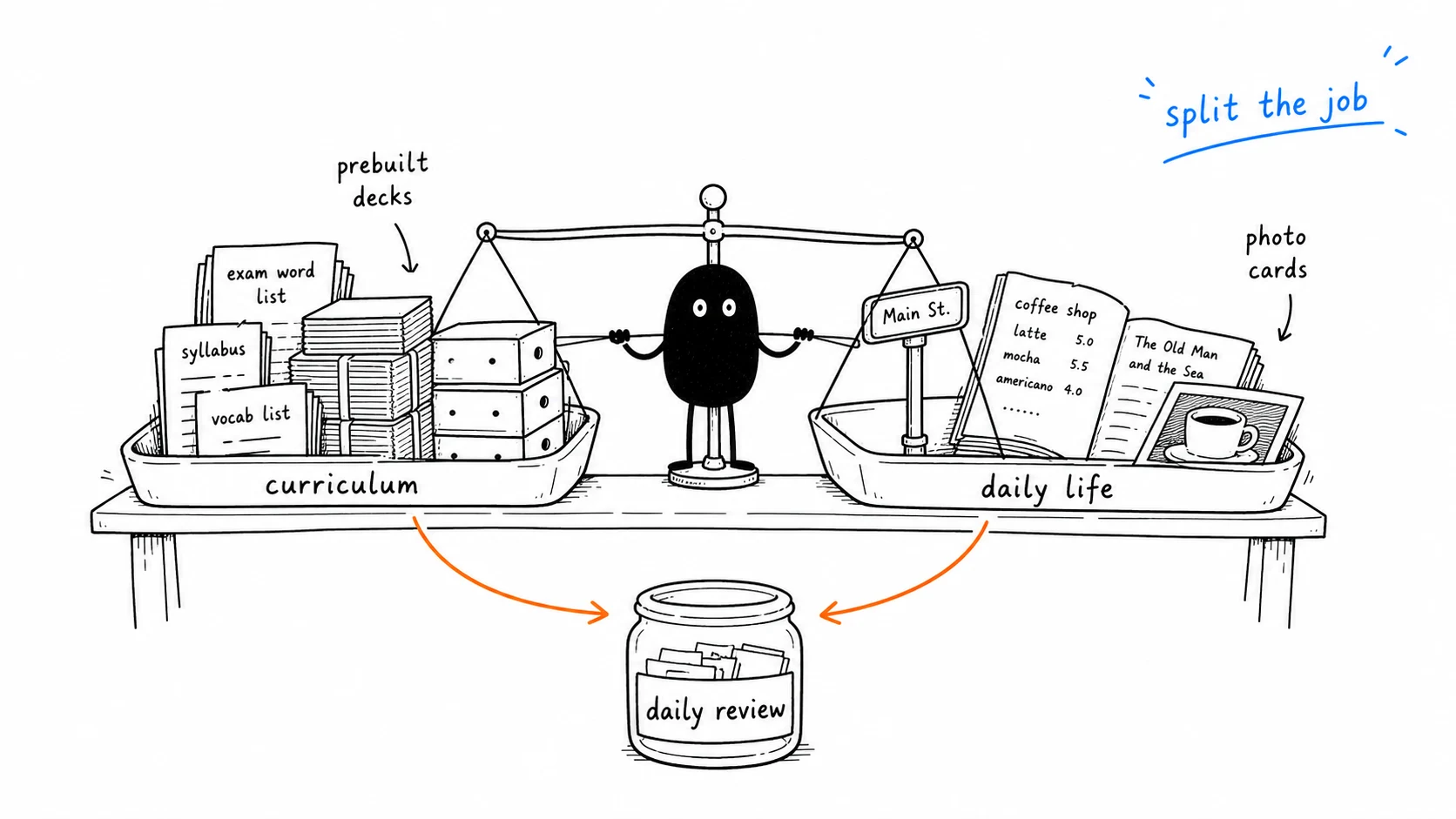
Plenty of people run two of these at once — curriculum decks in Anki, daily-life vocabulary from photos in KaChiKa. The schedulers don't clash; the material doesn't overlap.
The Verdict: Best Anki Alternative by Use Case
| If you are… | Use |
|---|---|
| Studying from notes, PDFs, and an exam calendar | RemNote |
| Working through existing high-quality shared decks (med, law) | Anki — the $24.99 is worth it here |
| Learning a language from daily life, on iPhone, for free | KaChiKa |
| A Markdown note-taker who wants reviews on top | Mochi |
| Studying a teacher's ready-made sets | Quizlet |
| Following a structured beginner language course | Memrise |
There is no single "best Anki alternative" — anyone who names one app for every scenario is selling that app. What we can say: if your scenario is the third row — real-world vocabulary, free, iOS — that's exactly the case KaChiKa was built for.
Photograph one scene from your day → flashcards in seconds, spaced repetition included. Free to start on iOS & Android. Download KaChiKa free, or see exactly how it compares to Anki first.
FAQ
What is the best free Anki alternative in 2026?
It depends on your material. For notes and exam prep, RemNote. For real-world vocabulary on a free iOS app, KaChiKa. For a teacher's ready-made sets, Quizlet. For Markdown notes, Mochi. Anyone naming one app as best for every scenario is usually selling that app.
Why does Anki cost $25 on iPhone?
AnkiMobile's $24.99 one-time price funds the whole open-source project — desktop and Android stay free. It's a fair model, but if you study on an iPhone and don't want to pay upfront, alternatives like KaChiKa, RemNote, and Quizlet are free to download with usable free tiers.
Are AnkiApp and AnkiPro the real Anki?
No. Apps named "AnkiApp" and "AnkiPro" on the App Store are unrelated products trading on Anki's name, and users regularly report trouble getting their cards back out. The official iOS app is AnkiMobile ($24.99) by Ankitects, and the official free ecosystem is Anki desktop, AnkiDroid, and AnkiWeb.
Do Anki alternatives use real spaced repetition?
The schedulers differ a lot. Anki has FSRS built in (one toggle away), KaChiKa runs FSRS out of the box, and RemNote and Mochi offer FSRS as opt-in betas. Quizlet, Memrise, and Brainscape use their own systems that are closer to adaptive review than research-grade spaced repetition — fine for a test on Friday, weaker for remembering things next year.
Can I take my Anki decks with me to another app?
Usually the cards, rarely the review history. Anki exports .apkg and CSV, which most apps can import as fresh cards, but your scheduling data typically resets. Photo-first apps like KaChiKa sidestep the import question — you rebuild vocabulary from your camera instead of migrating decks.
Which Anki alternative is best for language learning?
For vocabulary from your daily life with example sentences and pronunciation, KaChiKa — photograph a scene and the cards build themselves (English, Korean, French, Chinese, Spanish, Italian, plus a dedicated JLPT-focused Japanese edition). For structured beginner courses with native-speaker video, Memrise. For pre-made JLPT or exam decks, Anki's shared-deck library is still unbeaten.
