Photo to Flashcards: Make OCR Flashcards from Any Image
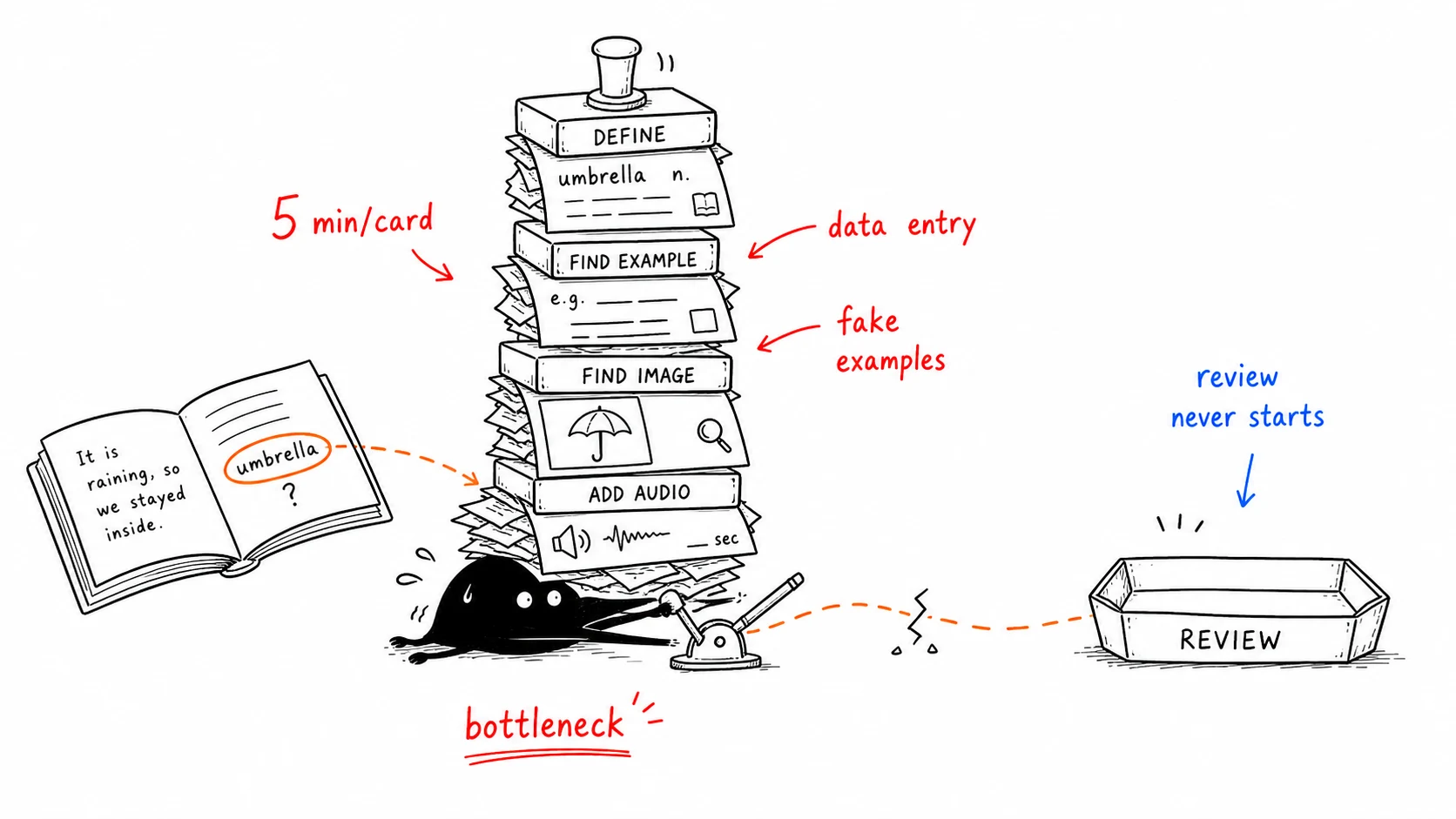
Here's the dirty secret of flashcard study: the hard part has never been reviewing — it's making the cards. Looking up a definition, copying an example sentence, finding an image, adding audio — five minutes per card. Read a chapter with twenty new words and you're staring at a hundred minutes of data entry before you've learned a thing. So most people simply don't bother. The words they meant to "add later" just quietly disappear.
This guide is about removing that bottleneck completely: how to make flashcards from a photo, so a page of text becomes a deck of cards in seconds instead of an hour.
Why making cards by hand fails
Manual card creation has three problems that compound:
- It's slow. A good card (word, meaning, example, image, pronunciation) takes about five minutes done by hand.
- It breaks your flow. You're reading a book, you hit a new word, and now you have to stop, open another app, and become a data-entry clerk. The reading momentum is gone.
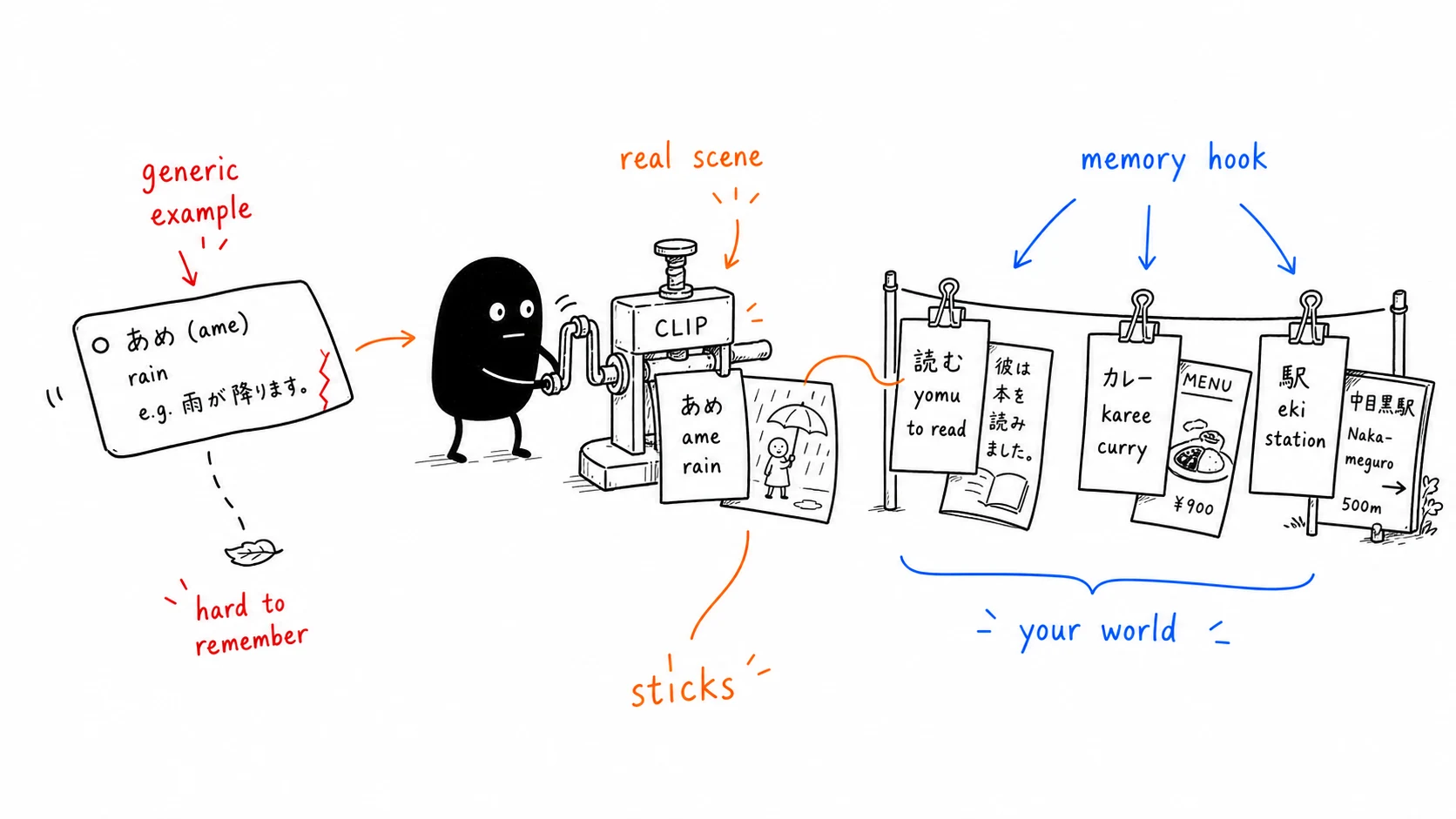
- The examples are fake. A definition you paste from a dictionary has no connection to your life. Your brain remembers words best in the context where you first encountered them; a generic dictionary sentence throws that context away.
The result is predictable. People who rely on hand-built decks usually stall out before hitting 500 cards — not because they ran out of words, but because they ran out of patience for making cards.
The photo-to-flashcard workflow
The fix is to stop typing and start snapping photos. Modern OCR (optical character recognition) plus AI can read text straight off a photo and assemble the card for you. The workflow looks like this:
- Snap a photo of whatever you're reading — a book page, a menu, a street sign, a slide.
- OCR reads the text in the image and pulls out the individual words.
- AI builds the cards — definition, the real sentence the word appeared in as the example, and pronunciation.
- You keep only what you don't know — a good tool skips words you've already learned instead of burying you in
appleandthe. - Spaced repetition schedules reviews so each card comes back right before you'd forget it.
Steps 1–4 collapse from five minutes per card to about five seconds for a whole batch. That single change is what makes the difference between a deck that grows and one that dies.
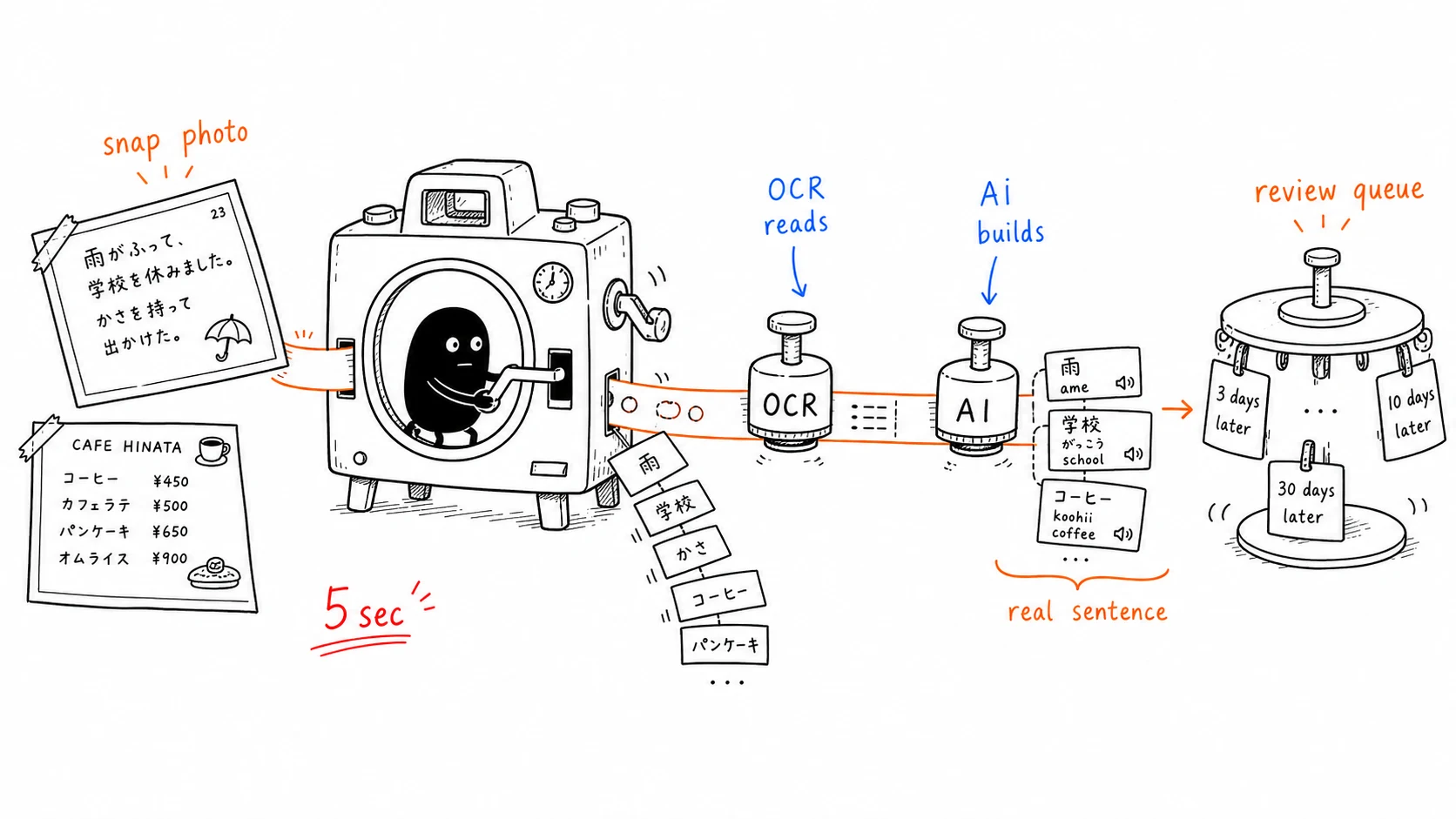
Photo cards vs. hand-made cards
| Hand-made card | Photo / OCR card | |
|---|---|---|
| Time per card | ~5 minutes | ~5 seconds per batch |
| Example sentence | Generic, from a dictionary | The real sentence you read it in |
| Context & memory hook | Weak | Strong — tied to the page and the moment |
| Breaks reading flow | Yes | No — shoot and keep reading |
| Skips words you know | No | Yes (with a good tool) |
The context column is the one people underestimate. Because the example is the actual sentence from your photo, the card preserves the real-world context. That's the same reason visual memory works — pairing a word with a real scene gives you a second path back to it.
Where this works best
Photo-to-flashcard isn't for every situation. It shines when the words come from your world:
- Reading. A novel or Kindle page where you hit unfamiliar words — photograph the page and keep reading.
- Travel. Menus, signs, transit announcements. Shoot the menu and you've built tomorrow's deck while ordering dinner.
- Coursework. Textbook pages, problem sets, lecture slides.
For a fixed, standardized word list — say, a complete TOEIC or exam vocabulary set — a curated deck still has its place, since you can't photograph thousands of words at once. The two approaches pair well: a standard deck for broad coverage, and photo cards for the real-world vocabulary you encounter day to day.
How KaChiKa does it
KaChiKa is built for this image-to-flashcards workflow. Point it at a page and it handles the rest:
- Photo to cards in ~5 seconds. It generates words, everyday sentences, short dialogues, and pronunciation, while the source image keeps the context visible.
- It skips what you know. A page might contain dozens of words; KaChiKa builds cards only for the ones you don't already know.
- Visual memory built in. The photo you took stays on the card, so recalling the scene helps recall the word.
- FSRS spaced repetition. Reviews are scheduled with a modern forgetting-curve algorithm, more accurate than the older SM-2.
- Free to start. The iOS and Android free tier has AI-generation limits. For comparison, Anki's iOS app alone is $25.
The point isn't the AI for its own sake. It's that the friction which kills most vocabulary habits — making the cards — basically disappears.
Try it on one page
The best way to feel the difference is to do it once. Open the book on your desk or pull up the last menu on your phone and photograph it. Seconds later the first cards are there — real example sentences and pronunciation included, no typing.
Related reading: How spaced repetition algorithms actually work · How to learn vocabulary faster
Photo guides in other languages: Japanese · Korean · Simplified Chinese. Anki users who need the OCR-clean-CSV-import route should use the separate scan-to-Anki workflow guide.
FAQ
How do you make flashcards from a photo?
With an OCR-based flashcard app: photograph a page or menu, the app's OCR reads the text, pulls out the words, and builds cards using the real sentence from your photo as the example, plus pronunciation. A whole batch takes seconds instead of the 5 minutes per card it used to take by hand.
Are photo-generated flashcards better than hand-made ones?
For words from your own reading and life, yes. The example is the actual sentence where you encountered the word, so the original context and photo become powerful memory anchors. Hand-made cards usually use a generic dictionary sentence with no connection to you, which is far easier to forget.
Won't it turn every word, including ones I already know, into a card?
A good tool doesn't. KaChiKa builds cards only for the words you don't already know and skips the rest, so you never waste time reviewing basic words like 'apple' or 'the'.
When is photo-to-flashcard most useful?
When the words come from your world: pages of a novel or Kindle book, restaurant menus and signs while traveling, or textbook and lecture slides. For a fixed exam word list a curated deck still helps, since you can't photograph thousands of words at once.
Is there a free app to make flashcards from photos?
Yes. KaChiKa is free to start on iOS and Android, turns photos into words, everyday sentences, short dialogues, and pronunciation in about 5 seconds, and schedules reviews with FSRS. The free tier has AI-generation limits.
What are OCR flashcards?
OCR flashcards begin by reading text in an image, then turn selected unfamiliar words into study cards. A complete workflow keeps the source context and adds sentences, short dialogues, and pronunciation instead of stopping at raw extracted text.
Can I turn any image into flashcards?
Clear book pages, menus, signs, and real-world objects work best. Small print, glare, handwriting, and specialized terms should always be verified against the source image before reviewing.
